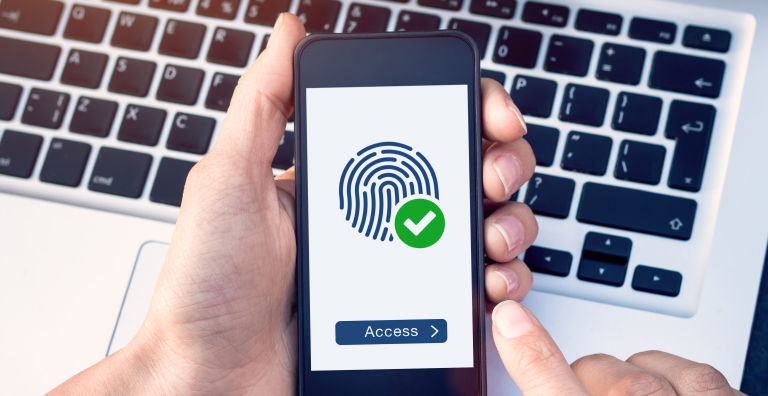
Passwords have long been the gatekeepers of our digital lives, but they’ve also become one of the biggest security risks we face. Cyber threats like phishing, credential stuffing, and brute force attacks continue to exploit traditional password systems, leaving businesses and users vulnerable. The solution? Mobile Passwordless Authentication—a revolutionary approach to secure access that eliminates the need for passwords altogether.
This blog explores the ins and outs of mobile passwordless authentication, why it’s increasingly being adopted by businesses, and how it can enhance security while improving user convenience.
What is Mobile Passwordless Authentication?
Mobile passwordless authentication allows users to log in to apps, websites, or systems without the need for a password. Instead, mobile devices become the primary tool for identity verification by leveraging modern technologies such as biometrics (fingerprint or facial recognition), QR codes, one-time passcodes (OTPs), and push notifications.
Unlike traditional password systems, which rely on memorizing complex strings of characters, mobile passwordless authentication uses features already built into most smartphones to create a seamless and secure login experience.
Key methods of mobile passwordless authentication include:
- Biometric Authentication: Scanning a fingerprint or using facial recognition to verify identity.
- Push Notifications: Users confirm login attempts through secure, real-time notifications on their mobile devices.
- QR Code Scanning: Scanning a unique QR code displayed on the login page with a mobile device.
- Magic Links: Links sent to a user’s email or smartphone for one-click access.
Why Traditional Passwords Are Falling Out of Favor
Passwords have undoubtedly served their purpose for decades, but they come with significant shortcomings in today’s digital landscape:
1. Security Risks
Passwords are a weak link in cybersecurity. According to a survey by Verizon, 81% of hacking-related breaches are caused by stolen or weak passwords. Passwords can easily be guessed, stolen, or phished, leaving systems and users exposed to data breaches.
2. User Frustration
How many times have you forgotten a password and had to go through the frustrating process of resetting it? Studies show users manage an average of 100 passwords, which often results in poor practices like reusing passwords across multiple accounts.
3. Operational Cost
Password resets are expensive for businesses. Gartner estimates that up to 50% of all IT helpdesk calls are password-related, costing companies millions annually.
These challenges clearly illustrate the need for a better, more secure, and more user-friendly alternative—one that mobile passwordless authentication can provide.
The Benefits of Mobile Passwordless Authentication
Adopting mobile passwordless authentication offers numerous advantages for both businesses and users. Here’s why it’s gaining traction in industries ranging from banking and healthcare to e-commerce:
1. Enhanced Security
By eliminating passwords altogether, passwordless systems reduce the risk of attacks like credential stuffing, phishing, or brute force attacks. With features like biometrics, authentication is tied directly to a unique individual, making it nearly impossible for cybercriminals to bypass.
2. Improved User Experience
A seamless login process enhances user satisfaction. Mobile passwordless authentication eliminates the need to remember or reset passwords, enabling quick, frictionless access.
3. Cost Savings
Fewer resources are required for managing password resets and securing compromised accounts. This can lead to significant cost reductions for businesses.
4. Compliance and Trust
Mobile passwordless authentication helps businesses meet strict data protection regulations such as GDPR and CCPA. Additionally, users have greater confidence in brands that prioritize security and privacy.
5. Scalability
Passwordless authentication can scale across multiple platforms and devices, offering a unified login experience regardless of how users access a service.
How Mobile Passwordless Authentication Works
Mobile passwordless authentication typically follows these steps:
- User Registration
Users enroll by linking their mobile device to an account. During this process, they may set up biometric data or confirm their email or phone number.
- Login Attempt
When the user attempts to access their account, they are prompted to authenticate through their mobile device instead of entering a password.
- Authentication Verification
The system verifies the user’s identity using methods like fingerprint scans, facial recognition, or push notifications.
- Access Approval
Once the authentication is successfully verified, the user gains access to the application or service.
With a mobile-first approach, this process is quick, intuitive, and secure.
Applications of Mobile Passwordless Authentication Across Industries
The use cases for mobile passwordless authentication extend across numerous industries, including:
1. Banking and Finance
- Mobile banking apps can use biometric authentication for secure account access.
- Verification for high-risk transactions can be done through push notifications or QR codes.
2. Healthcare
- Doctors and patients can use passwordless methods to access sensitive health records securely.
- Streamline telehealth logins without compromising on HIPAA compliance.
3. E-Commerce
- Simplify the checkout process with quick mobile authentication, reducing cart abandonment rates.
- Protect customer accounts against fraud with mobile-based identity verification.
4. Enterprise Solutions
- Employees can securely access internal systems without having to remember passwords.
- Mobile passwordless authentication integrates easily with single sign-on (SSO) systems to improve productivity.
5. Social Media and Entertainment
- Platforms can use push notifications or magic links to enable smoother and safer logins.
Implementing Mobile Passwordless Authentication in Your Business
If you’re considering a transition to mobile passwordless authentication, here’s how to get started:
1. Evaluate Your Needs
Determine the accounts and systems where passwordless authentication will create the most impact. Start with areas that face high security risks or frequent complaints about password-related issues.
2. Choose the Right Solution
Not all mobile passwordless solutions work in the same way. Assess vendors and choose one that aligns with your business goals and infrastructure. Ensure compatibility with existing systems like SSO or multi-factor authentication (MFA).
3. Test and Deploy Gradually
Run pilot programs to test the solution with a small user group. Gather feedback, work out potential issues, and provide guidance before rolling it out across the organization.
4. Educate Users
Ensure employees and customers understand the benefits and how to use the new authentication methods. Provide clear instructions and address concerns regarding security and privacy.
5. Monitor Performance
Continuously measure the effectiveness of the mobile passwordless authentication system. Analyze user feedback, login success rates, and potential security issues to make improvements.
Join the Password Revolution
The era of passwords is quickly fading, and mobile passwordless authentication is paving the way for a more secure and user-friendly future. Whether you’re an enterprise looking to reduce security threats or a startup aiming for a seamless onboarding experience, adopting passwordless authentication can transform the way you—and your users—interact with technology.
Implementing mobile passwordless authentication may seem like a big leap, but the benefits far outweigh the challenges. Secure, scalable, and simple—it’s not just the future of login systems; it’s the future of trust in the digital age.